To create a URL slug, choose the words that identify your page, write them in lowercase, and separate them with hyphens. Keep details that help readers tell similar pages apart. Paste the slug into your website editor, then preview the full URL to catch any unexpected changes before publishing.
Create a slug with the free URL Slug Generator.
Key Takeaways
- Keep a year, city, or model number when it identifies the page.
- If your editor adds a suffix like -2, look up the original address before choosing another name.
- After changing a published slug, open the old URL and confirm it leads to the intended replacement.
What Is a URL Slug?
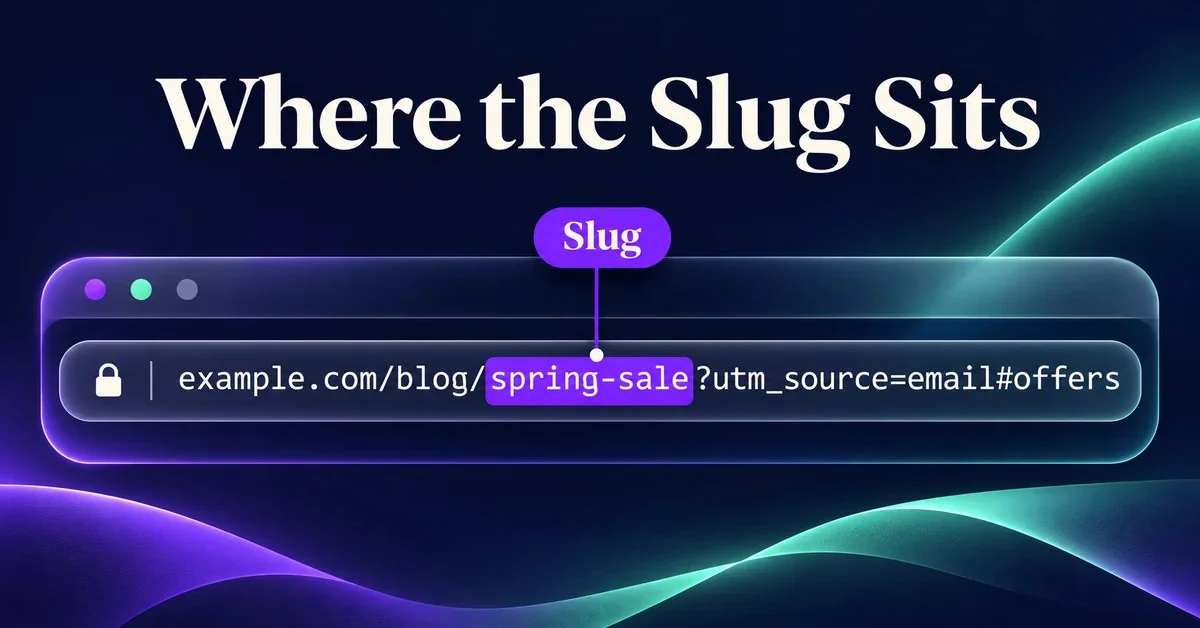
A slug is the part of a page’s URL that names the page. In example.com/blog/spring-sale?utm_source=email#offers, the slug is spring-sale. The /blog/ folder comes before it. The query string can track the email visit, and the fragment points to the offers section if the page has a matching anchor.
How to Create a Slug From a Page Title
1. Pick the Words That Identify the Page
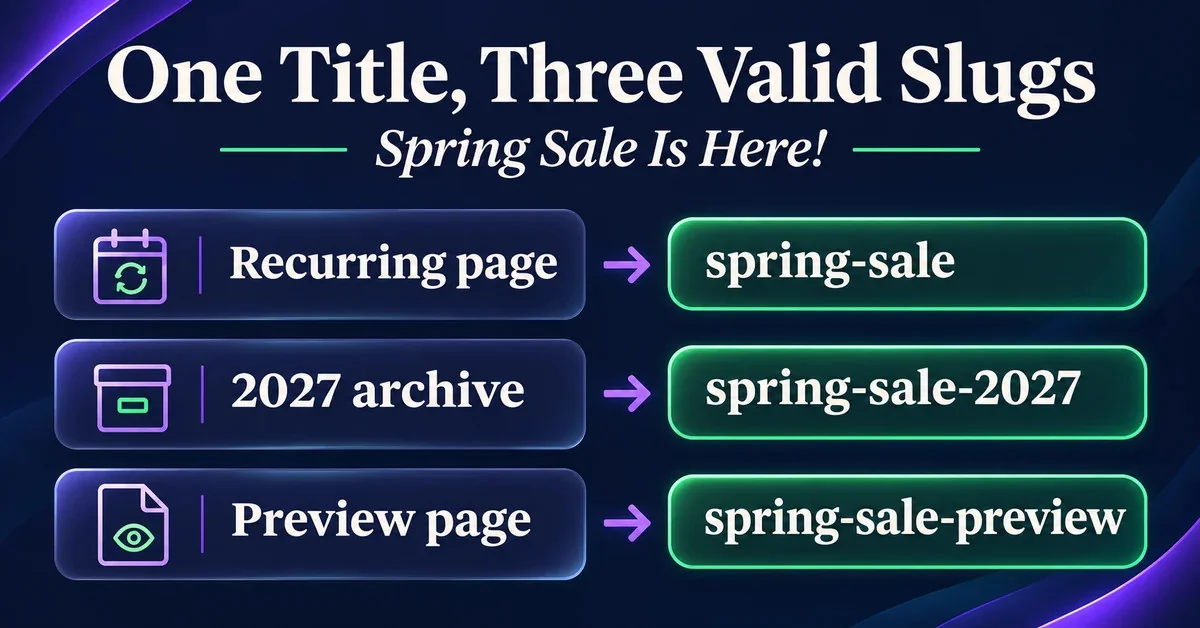
Say your headline is “Spring Sale Is Here!” You can cut “is here” from the URL because those words add urgency to the headline and tell readers little about the page itself. Start with spring sale. Then ask if the page needs one more detail to distinguish it from a related offer.
2. Decide Which Details to Keep
If you refresh the same sale page every spring, use spring-sale so you can share the same link again. Use spring-sale-2027 for an edition you plan to archive. If you’re building a separate page that goes live before the sale, spring-sale-preview sets the right expectation.
The same logic works outside promotions. Keep the 2 in traillite-2-backpack if it’s part of the product’s model name. A local service page can use emergency-plumber-in-austin because the location helps readers decide if the service is relevant.
3. Generate the Slug and Add It to Your Page
Enter the phrase you’ve chosen in the URL Slug Generator. Use lowercase letters and hyphens between words. Keep any year or model number needed to identify the page. Generate the slug, copy it, and paste it into your editor’s slug or URL field.
Use consistent lowercase paths because URL paths can be case-sensitive. Avoid repeated keywords and punctuation that has another URL meaning: a slash creates another path segment, a question mark starts a query, and a hash starts a fragment.
If you publish in multiple languages, use words your readers recognize. Non-English words are valid; links may display their percent-encoded form when copied. Check how your editor handles them instead of assuming every slug must be English. See Google’s URL structure guidelines.
4. Preview the Full Address Before Publishing
Your editor may show only spring-sale while the page ends up at /blog/spring-sale or /offers/spring-sale. Check the complete address in the preview, especially if you’re about to share it in an email or add it to your navigation. Use the exact saved address, including the platform’s trailing-slash convention.
Why Did My CMS Add -2 to the Slug?
Find the Page That Already Uses the Address
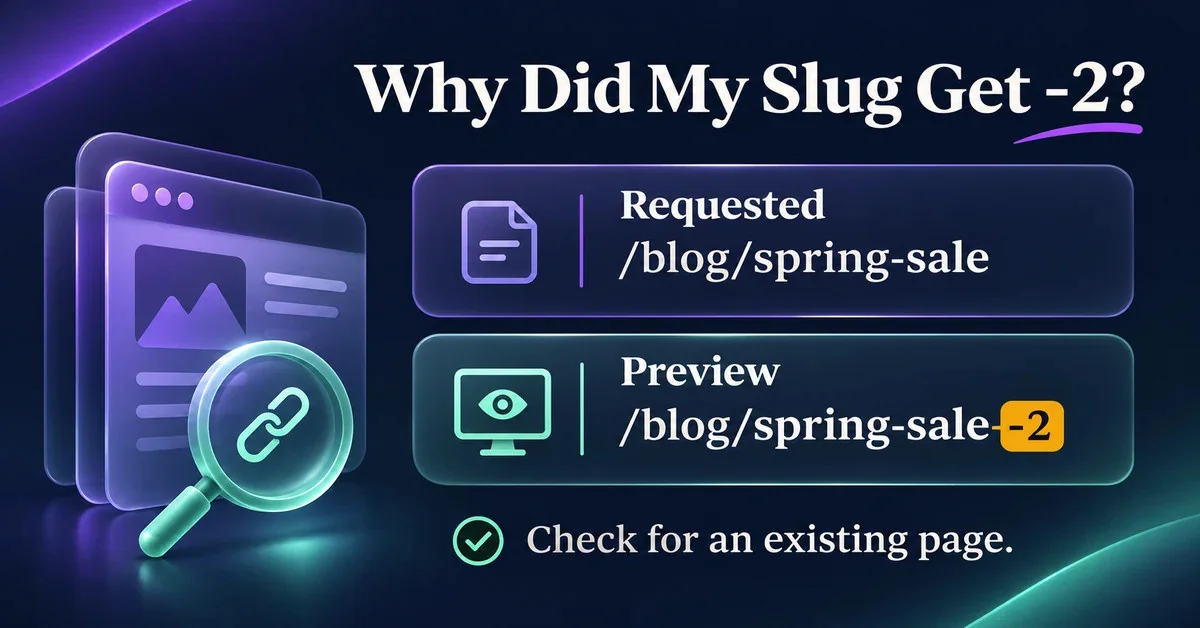
You typed spring-sale, but the preview shows /blog/spring-sale-2. Some editors add a suffix when the requested slug is already in use. Search the CMS for spring-sale and check the full path. Depending on the platform, it may be worth checking drafts and the trash as well.
Decide Whether You Need Two Pages
Open the original page and compare its purpose with the one you’re drafting. If both pages promote the same sale, you may be able to update the original and keep its existing links. If one page announces the sale and the other lets people shop it, give the announcement a name readers can recognize, such as spring-sale-preview.
Check both URLs once the pages are live. The main sale page should open where you expect, and the preview should have its own address. If the editor still adds a suffix, look for another page using the new phrase. A -2 suffix is not automatically an SEO error; the practical concern is whether two pages duplicate each other or the address misleads readers.
What to Check When You Change a Published Slug
Decide Whether the Address Needs to Change
If you rewrite “Our Spring Sale” as “Shop the Spring Sale,” the existing spring-sale address still fits. A change makes more sense when the old slug names a service you’ve retired or describes an offer the page no longer covers. Before moving it, check where you’ve shared the old link so you know what needs updating.
Test the Old Link and Open the Destination
For a permanent move from /old-guide to /new-guide, set a 301 redirect from the old address directly to the replacement. You should see one redirect, then 200 OK on the new guide. Open the destination and check the content. If the old link lands on the homepage, a 200 only tells you that the homepage loaded. Fix the rule so it sends readers to the guide.
Test the old address with the URL Redirect Checker. Don’t assume your CMS created the redirect automatically. Check the old link after saving.
Update the Links You Control
Point internal links and the sitemap entry to the new address. If the page uses a self-referencing canonical tag, make sure it names the new URL. You’ll still need the redirect for links you can’t update, such as old emails and other sites’ links.
Check the destination with Meta Tags Checker, and see Google’s guide to redirects.
FAQs
How Long Should a URL Slug Be?
Use enough words to describe the page and distinguish it from similar pages. Two words may be enough for a sale. A product page may need the brand, model, and item type to make the address clear. There is no universal character target that guarantees rankings.
Can I Keep Words Like “to” and “in”?
Yes. Keep a short word if it helps people read the phrase or preserves its meaning. In flights-to-rome, “to” makes the direction clear. Cut words that repeat information the rest of the slug already gives you.
Can the Same Slug Appear Under Two Folders?
Two URLs can end in the same slug if their parent folders differ, such as /blog/spring-sale and /offers/spring-sale. Your CMS may apply its own naming rules, so check the final addresses it actually generates.
Does Editing a Page Title Change Its Slug?
It depends on your editor and the page’s publishing status. Some platforms generate a slug from a draft title and keep the address once it’s published. Check the URL field before saving a headline update.
Final Thoughts
Read the full address as if someone had sent it to you without the headline. If you can tell what the page offers and pick it out from similar pages on your site, the slug is ready to use.